- Decide how far you want your local “pilgrims to travel”
- Hosting an in-person event? Consider a walking-distance-only pilgrimage setup to keep your event’s attendees close by.
- Set up your pilgrimage sites within 1/4 to 1/2 mile of your main event location.
- Choose a landmark within a few hundred feet of your main event location as the first stop on the pilgrimage.
- Hosting an event over several days, or letting people choose their own pilgrimage timing?
- Walking distance pilgrimage sites will help guests get to know a small part of your local environment really well (e.g. a small downtown area).
- Driving-distance pilgrimage sites can show off more of your local environment.
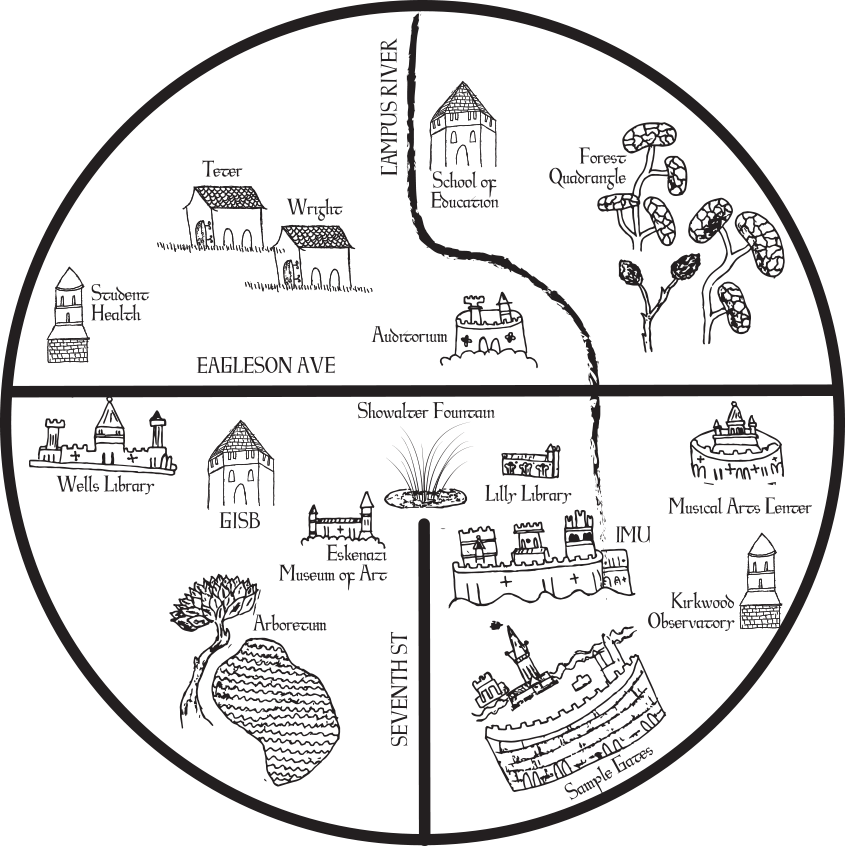
- Match local buildings, parks, landmarks, etc., within your local-pilgrimage area to pilgrimages around the world.
- Is there a landmark whose purpose matches a pilgrimage? (e.g. a hospital or medical clinic to match the Shrine of St. Martin)
- Is there a landmark that looks like one of the pilgrimage sites? (e.g. a building that’s confusing to navigate to match the Monastery of the Caves)
- Is there a journey to the local landmark that matches the landscape of the journey to the pilgrimage? (e.g. a wooded area to match Shikoku Henro)
- Is there a natural feature that matches the landscape of the pilgrimage? (e.g. a hill or high point to match the Cahokia Mounds)
- Get latitude and longitude for those places
- https://support.google.com/maps/answer/18539?hl=en&co=GENIE.platform%3DDesktop
- Write up clues and short descriptions for the pilgrimages that match
- Edit the pilgrimages using your prepped clues
- Delete the pilgrimages you don’t need or that don’t match with anything
- Delete-md-file instructions link.
How-To
Read our site-hosting documentation here in full
Quick-start for people comfortable with Github and markdown
- Create a Github username that aligns with the pilgrimage site you’d like people to visit (e.g. if you want your URL to be “mypilgrimage.github.io”, your username will be “mypilgrimage”)
- Visit our template site at https://github.com/Virtual-Medieval-Pilgrimage/pilgrimage-template
- Use the green “Use this template” button to “Create a repository” (a set of files that are related to each other)
- Name the repository “[yourusername].github.io”
- In the new repository, open up the “_config.yml” file and update the things that make sense (e.g. the name of the pilgrimage, your name instead of the existing author names). Leave everything else alone.
- Go to the repository “Settings” menu and look for the “Pages” option on the left-hand side.
- Choose “main” under the build-from option.
- Visit ‘yourusername.github.io’ to see your pilgrimage in action.
- Now, look in the _items folder. Open up each file and you’ll see latitude and longitude information. Customize these to your local sites.


 Framework: Foundation 6.