Text and Images on the Home Page
Main Site Description
The main text on the home page can be customized by editing the ‘index.md’ file in the ‘pages’ folder.
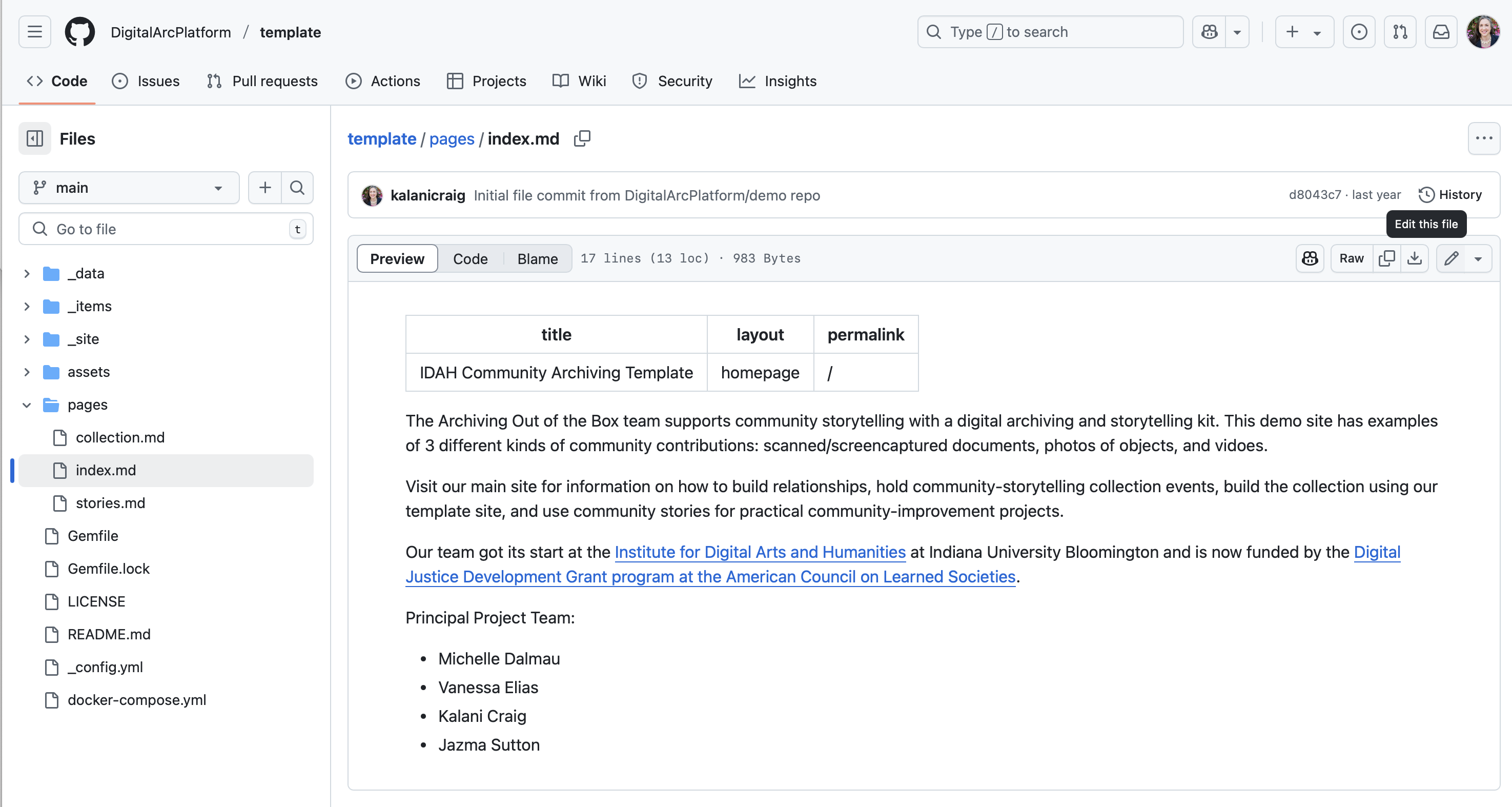
- Find the ‘pencil’ icon in the upper-right-hand corner. Press it to switch to “edit” mode.
- Note the information at the top of the page separated by 3 hyphens (“—”). This information controls the page title.
- Change the page title to match your pilgrimage. Avoid using quotes “ or apostrophes ‘
- Change the text in the main part of the page. The main part of the page comes after the second set of three hyphens (“—”). On the main “home page”, that text starts with “The Archiving Out of the Box team” and ends with the project team’s names.
- Scroll down to the bottom and look for the green “Commit” button to save your changes.